
How we build
From our plan to your front door.
Every foot of our network is 100% underground fiber. Here is exactly what happens on your street, in order, before anyone is offered service, and then what happens at your house on install day.
Part one · Network construction
Getting fiber to your curb
Every network construction plan is agreed on with the city. All the work happens in the public right of way, and residents are notified before construction begins on their street.
Tap each stage to see what happens on your street.
-
1
Stage one
Plan the network
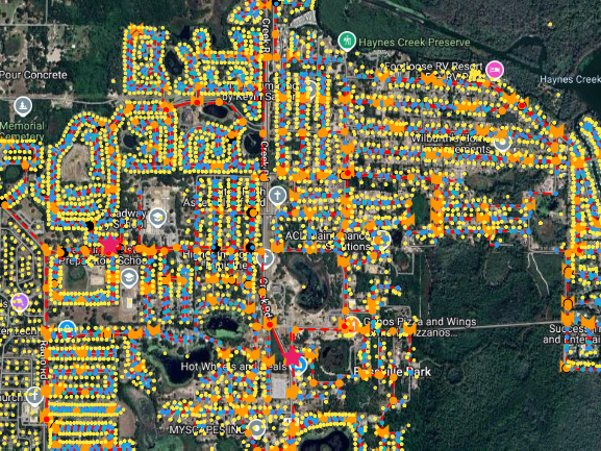
The whole city gets divided into serving areas: where the backbone runs, where the cabinets go, how many homes each has to reach, with enough spare capacity that we're not back in ten years.
On your street Nothing at all. This part happens on a screen.
-
2
Stage two
Design it, then get it permitted
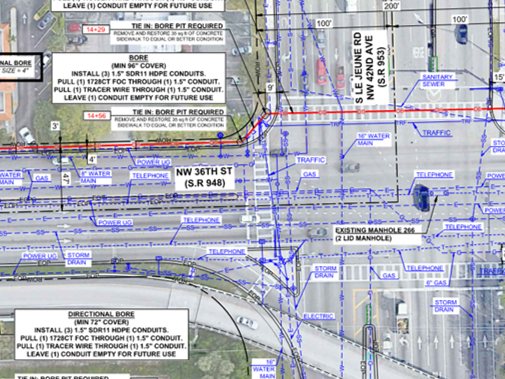
Every vault, every bore under a driveway, every crossing of someone else's gas or water gets decided street by street, not estimated. Then the city reviews that drawing and issues the permit. This is the longest stage of the build, with nothing to look at, which is why "coming soon" takes as long as it does for anybody, anywhere.
On your street Someone on foot with a measuring wheel, once. Then nothing for a while.
-
3
Stage three
Locate, then microtrench
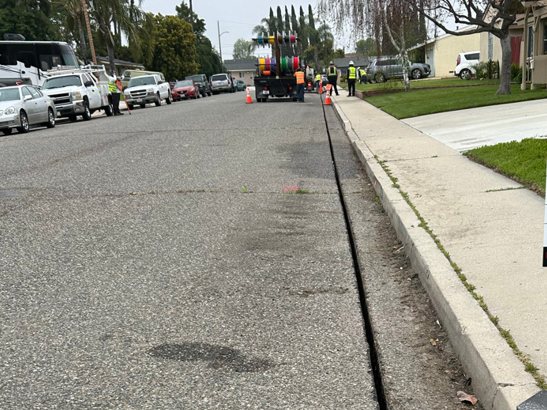
Paint first, that's utility locating, not digging. Then we microtrench: a saw cuts a slot a couple of inches wide, the microduct drops in, and slurry fills in behind the saw. That slurry is a temporary fill; the permanent seal comes in the next stage. A line in the pavement, not an open site.
On your street Paint lines for a few days, then one narrow cut that's filled in the same pass.
-
4
Stage four
Seal it back up
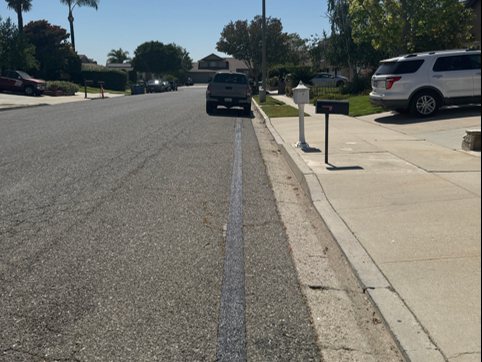
The slurry is topped with a flexible restoration material made for your street. It flexes with the road instead of cracking out in a season.
On your street A clean sealed line where the cut was, flush with the surface.
-
5
Stage five
Blow the glass in and splice it
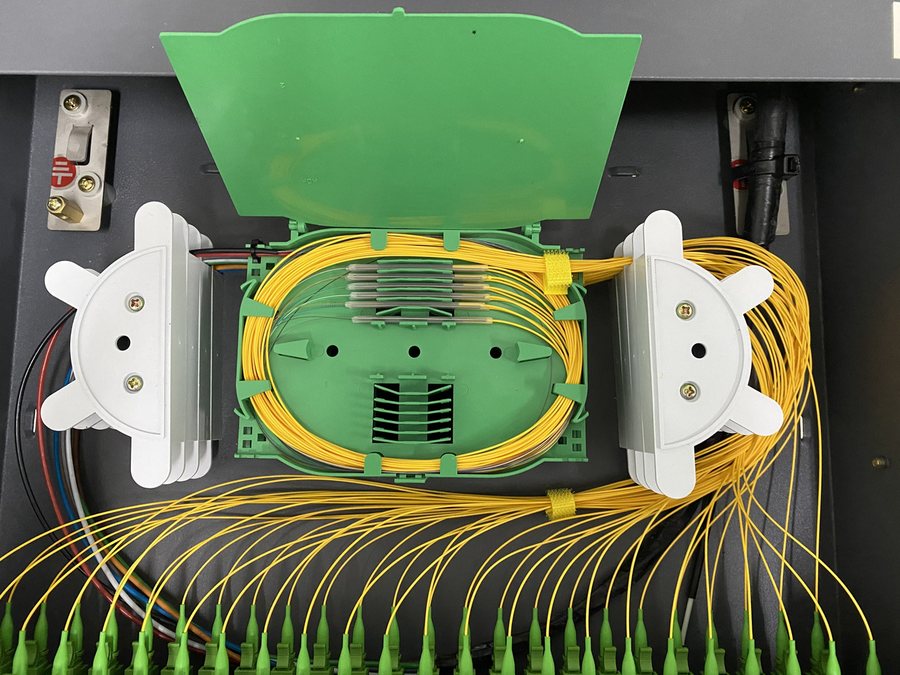
The duct has been empty until now. Fiber is air-jetted through it, then every strand is fusion-spliced rather than clipped into a connector, and the whole segment is tested with light. Any splice that tests weak gets redone. Because the path is duct rather than buried cable, capacity can be added later without digging your street again.
On your street A jetting truck over a vault lid for an afternoon, then a splice trailer near the cabinet for a day or two.
-
6
Stage six
The network goes live
The street only opens for orders once the fiber has been tested end to end. Once we are clear to go live, a notification is sent to every pre-subscribed resident.
On your street Nothing to see. The fiber is live at the curb, waiting on your install.

See these short clips for what to expect while we build the network on your street.
Why we do it this way
Underground, all of it
No poles, nothing for a storm to take down. It costs more to build and it's the reason the network stays up.
Conduit, not buried cable
The glass lives inside a pipe. Adding capacity later means blowing more fiber through it, not digging your street a second time.
Built and run from here
Local crews build the street and install your home, and the same company answers when you call. Nothing gets handed off.
Part two · Home installation
Then we come to you
Once the network is live you pick a day. Three steps, one visit, usually inside two hours, and you're online before the van leaves.


-
1
Drop bury
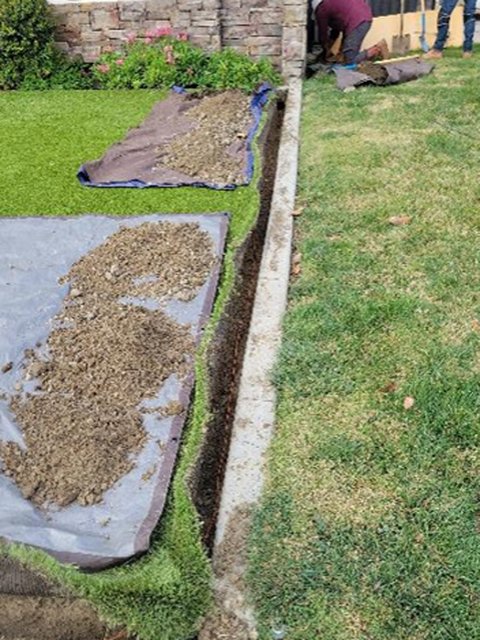
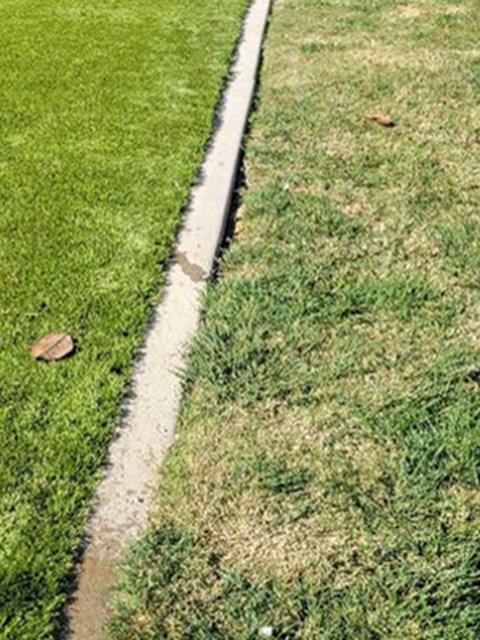
On install day, we blow fiber from the cabinet to the duct drop at your curb, then a narrow bury carries it from the curb to the wall of your house. Turf is lifted in strips onto mats and laid straight back, not scraped off, so the lawn recovers quickly.
-
2
CPE install
The fiber comes through one wall penetration and is terminated on an ONT mounted inside, in the house or the garage, somewhere dry and reachable that you pick with the technician. The router then goes where the coverage actually needs to be, not next to whatever wall the old cable happened to come through.
-
3
Provisioning and activation
Your service is provisioned onto the port, the line is tested to the plan you bought, and we check the speed on your own devices before we leave. Then you're live.
Worth doing beforehand
- Clear a path to a power outlet and to wherever you would like the equipment.
- Have your current Wi-Fi password handy if you want the same network name kept.
- Keep pets somewhere settled; doors will be open for a while.
Don't cancel your old service yet
Keep it until ours is working and you're happy. There's no overlap penalty on our side, so cancel theirs the day after.
Need to move your install?
Call or text (805) 322-0086 to reschedule. Moving your install appointment is free, and we'd much rather move it than have you rush home.
Want to know when your street is due?
Put your address in and you'll get a straight answer for your block, including whether there's a date on it yet.
Check availability